
One click
- Available For Free
- No Credit Card Required
- Password - Free Access
- Custom Access
- Timed Access
LIFE TIME DEAL
Why share Passwords,
When you can share Access?
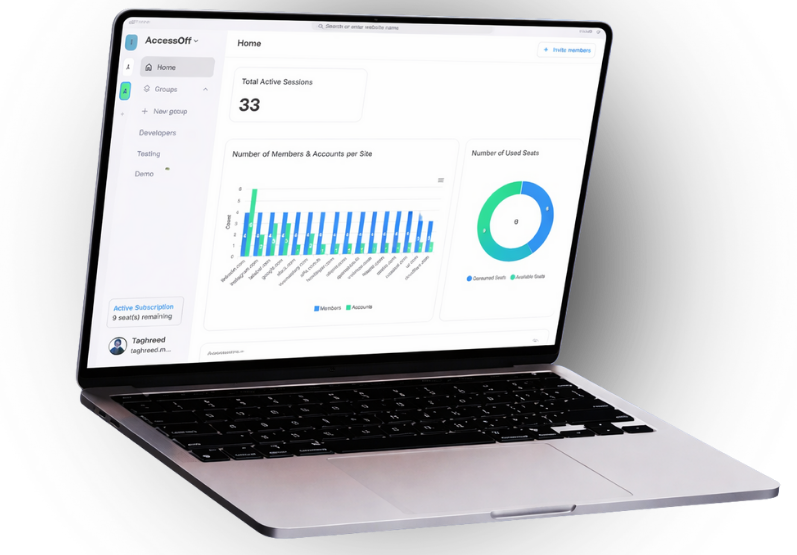
Share access without sharing passwords — customized, controlled, on your terms.
Full Control
Password-Free Access
No Password
Credential Free
Secure Access
Password management creates inefficiencies and security risks, from sharing credentials to frequent resets.
Custom Access
Custom Permission
Role-Based Access
Fine-Grained
Sharing accounts without customized access exposes sensitive information and increases misuse risks. Granting full permissions leads to inefficiencies and security vulnerabilities.
Tracking & Audit
Activity Logs
Visibility
Audit Ready
Without access and activity tracking, businesses lack visibility into WHO is accessing accounts and WHAT actions are being taken. This creates security risks and accountability gaps.

Timed Access
Time Limited
Scheduled Access
Time Bound
Grant access for a defined period and let it expire automatically—no reminders, no risk.
Single Sign On
One Login
Single Identity
Unified Access
Without single sign-on, employees juggle multiple passwords, causing inefficiencies, password fatigue, and security risks. For example, a marketing team managing tools and accounts faces frequent resets and downtime.
Compliance-Ready
Account Access
Access Control
Managed Login
Multi-login struggles, like multiple users accessing the same account or managing different accounts in one browser, cause inefficiencies, security risks, and time wasted juggling access.
Featured On


We pitched AccessOff on Shark Tank Lebanon (LBCi). AccessOff is a SaaS platform that helps businesses share account access without sharing passwords, giving teams full control over access to their digital accounts. Businesses can grant access, customize permissions, set time-limited sessions, revoke access instantly, and track activity without exposing credentials.
The Sharks Q&A





Georges Karam
How does AccessOff interact with Stripe?
Alain Bejjani
What about social media regulations?
Maroun Chammas
Where is the information mirrored?
Hassan Ezzeldine
How can you customize the access?
3 Steps Solutions
For Secured Sharing
Download AccessOff
Download
Sign Up
Log In
Log into the online account you wish to share through AccessOff. This ensures a secure connection and allows AccessOff to establish permissions for account sharing.
Customize Access
Permissions
Role-Based
Fine-Grained
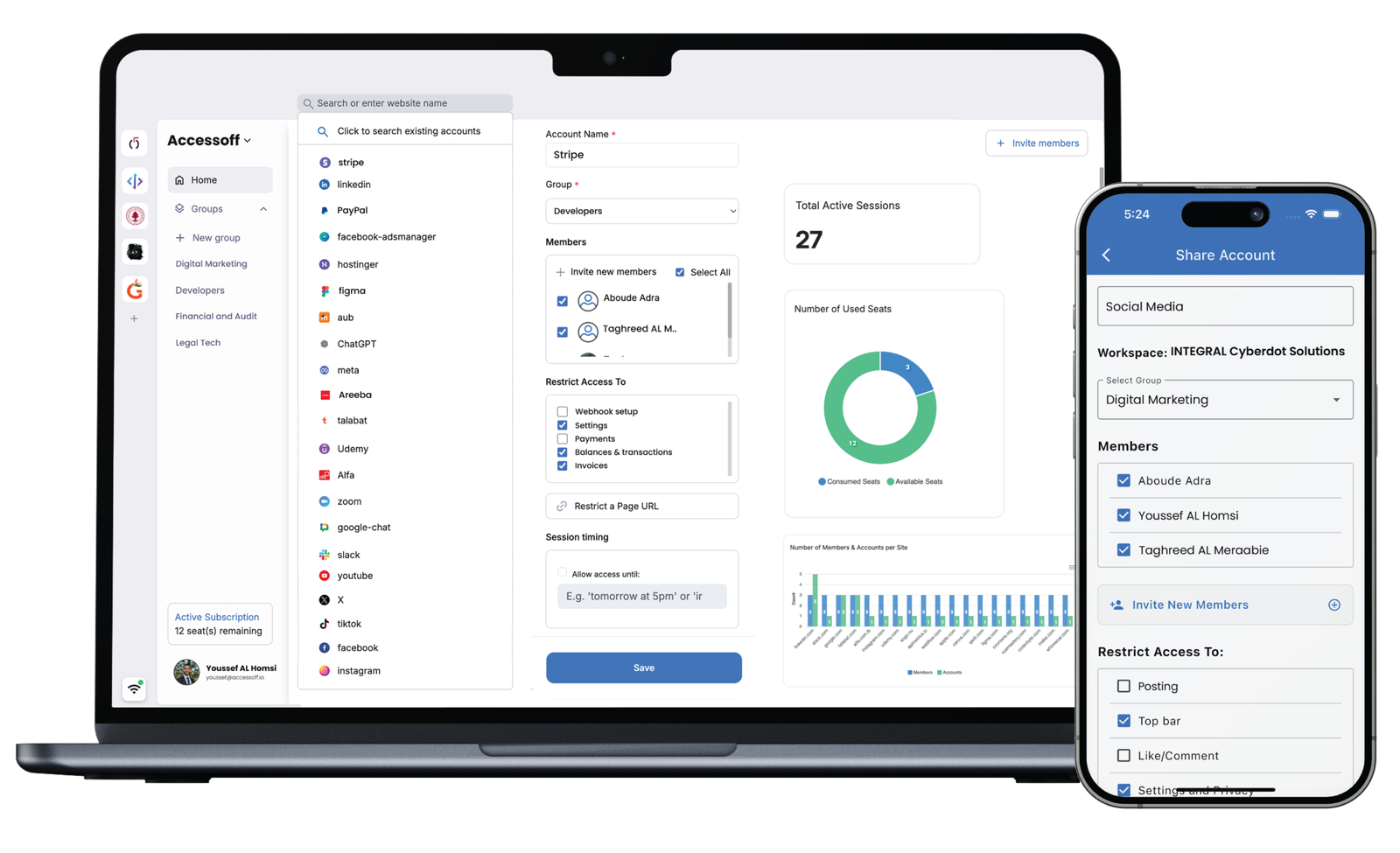
Easily define what the recipient can do—select permissions like viewing, posting, or editing while restricting sensitive areas like settings or chats. This ensures precise control over what’s shared.
Share Access
Customize
Share
Track
Send access instantly without sharing credentials. The recipient can seamlessly use the account within the defined permissions, while you maintain full control and visibility
Features
Customize Access
Enjoy detailed control: Disable specific parts of the shared account as needed
Track & Monitor
Track other party activities on the accounts you shared access to
Timed Access
Set a time limit for how long the other person has access to your account
Pricing Plans
Powerful Features for Powerful Users
Solo Plan - Free Forever
Share Access with 1 person
- Share access with 1 person
- Timed access
- Customized access
- Tracking
Enterprise Plan
- All of the Above
- Custom Pricing
- Premium Support
- Partnerships
FAQ
Frequently Asked Questions
Find answers to commonly asked
questions about our support and services.
Didn't Find The Answer?
Talk to an AccessOff experts and get the right setup for your team, clients, and workflows.
How does it work?
Both parties should download AccessOff (the one granting access and the one receiving the access). After signing up and login to AccessOff, the admin should login to the account they want to share, they customize accessibility and they invite the second party to this account (You can imagine it as Slack user experience – workspaces, channels and invitations to these channels).
Is it a password management application?
ACCESSOFF is not a password management application. It does not save any of the credentials which will prevent the risk of getting your data leaked.
What does the application do?
AccessOff grants full control and customized access to any online account, ex: you can share your personal LinkedIn account password-free and with full accessibility customization.
Is AccessOff limited only to social media platforms?
What does this platform solve?
Does ACCESSOFF have access to our accounts?
All accounts, processes and APIs are encrypted and no one has access to them.